
How to Start Teaching Private Lessons Online
In today's digital world, teaching private lessons online has become a highly attractive option for both educators and students…
Today's educational environment is undergoing a major change with the rapid development of technology. Educational institutions are moving from traditional classroom lessons to distance learning…
Today's educational environment is undergoing a major change with the rapid development of technology. Educational institutions are adopting many different learning models, from traditional classroom lessons to distance education. E-learning, which forms the basis of this transformation, offers students access to educational materials through online platforms and the opportunity to interact with their teachers. However, increasing in-class interaction with e-learning is an important aspect of ensuring that students learn more effectively.
In this blog post, we'll look at how you can increase in-class interaction with e-learning and the alternatives you can include in your teaching plans as an e-learning teacher.

To increase in-class interaction with e-learning, you need to make your lesson materials more interactive. By using education technologies and learning management systems, you can create interactive content, student interactions, assignments, and quizzes instead of classic lesson content. You can increase in-class interaction by asking questions that encourage students to think and by creating different scenarios.
For example, for a math lesson, you can ask students to solve complex problems and have them share these problems through online platforms. This helps students interact and think together.
To increase in-class interaction with e-learning, it's important to hold regular virtual classroom meetings or video conferences. These meetings give students the opportunity to come together live and interact with their teachers and classmates. Asking students questions in live meetings, starting discussions, answering questions about the topic, and hearing students' voices are among the effective ways to increase in-class interaction.
For example, among video conferencing applications, Zoom's breakout rooms feature is a very effective example for improving the virtual classroom experience. By grouping the students you've divided into groups into breakout rooms in Zoom, you can assign them topics to discuss and give your students an enjoyable learning experience in the virtual classroom.
E-learning platforms make it easier for students to interact through forums and discussion panels. They give students the opportunity to share their ideas on a specific topic, ask questions, and evaluate other students' views. Students expressing their own views and understanding others' perspectives enriches their learning.
Monitoring your students' progress and providing feedback is an important part of increasing interaction. Providing clear and constructive feedback when evaluating students' assignments and projects through e-learning platforms helps students understand and improve their learning processes. Also, listening to students' questions and concerns and giving quick responses increases their commitment to learning.
We decided not to end our blog post without mentioning Vedubox Tutor's advanced features that will strengthen your experience of e-learning in the classroom.
Vedubox Tutor is an effective tool with which you can manage your virtual lessons to increase in-class interaction. With this platform you can communicate interactively with your students, share your educational content, and easily track student progress. For more details, see Vedubox Tutor's other advanced features.
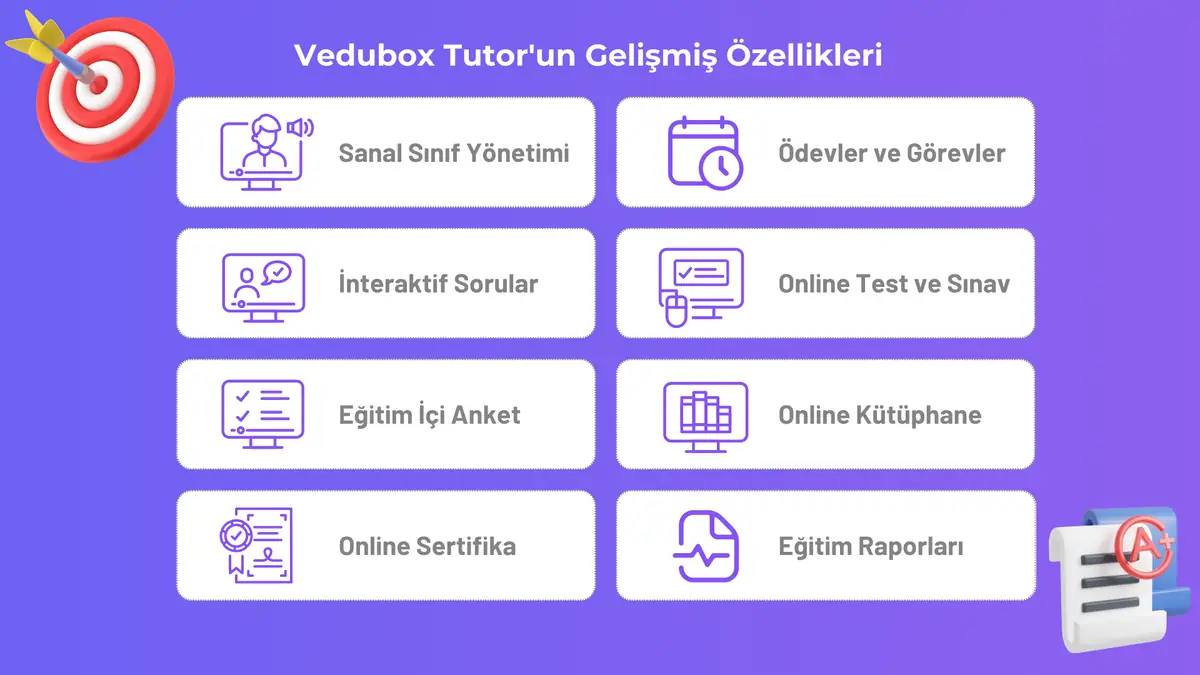
Managing your virtual classroom and creating your live lessons is very practical with Vedubox Tutor. By quickly integrating video conferencing systems (Zoom, Google Meet, Microsoft Teams, etc.) into the system, you can easily start your live lessons and create your virtual classroom.
You can add interactive videos, audio files, quizzes, SCORM files, documents, and many other content types to your course, and present lesson topics to your students with the materials you want. Offering multiple resources makes it easier for your students to understand the topic from different dimensions.
In a learning plan, exams and tests are as critical for measuring the learning as the educational content itself. With Vedubox Tutor you can prepare classic exams as well as multiple-choice tests.
Through the system you can assign daily or weekly homework and assignments to your students and review the results in detail.
Certificates, which are an indicator of achievement at the end of a course, encourage every student to learn. At the end of your courses you can also prepare online certificates for your students and crown their educational achievements.
In conclusion, increasing in-class interaction with e-learning makes it easier for students to attend more lessons and to learn. Being an active e-learning teacher enables students to participate more in online lessons and supports their learning. Remember that interaction is one of the cornerstones of learning, and these four important steps will help you make your e-learning classroom more interactive.
In this digital transformation of the education world, advanced solutions like Vedubox Tutor ensure students learn successfully while also offering the opportunity to deliver the virtual classroom experience in the most effective way.


Related content, tips, and updates to deepen your understanding and help you discover new ideas